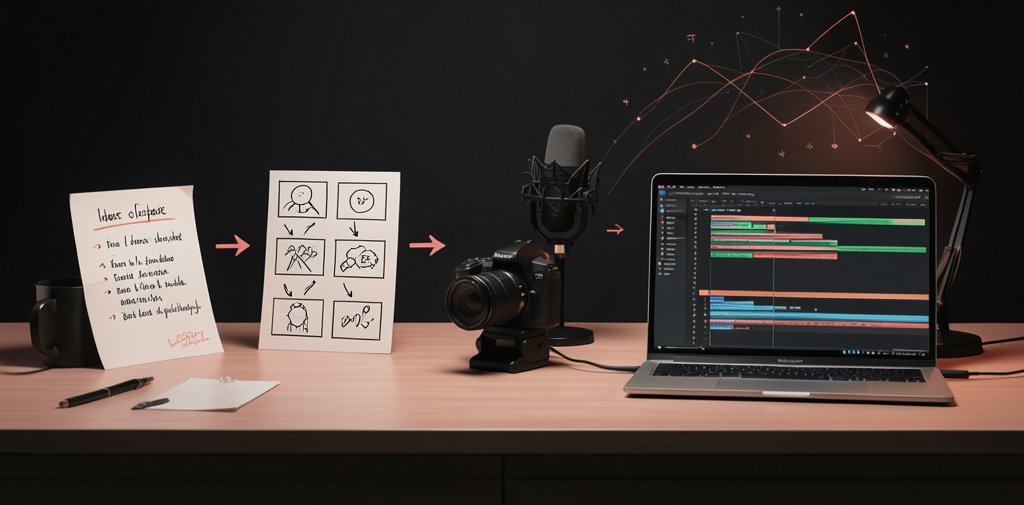
Creating a YouTube video can feel like a big project when you are starting from scratch. You need an idea, a script, visuals, editing, and a title. AI tools can help with each stage, but you do not need to automate everything. Use them to save time while keeping your own judgment and style in the final video.
This guide walks you through a simple process for creating your first video with AI.
1. Choose one clear idea
Start with a topic that answers a specific question or solves a small problem for a particular viewer.
Instead of choosing a broad subject such as “artificial intelligence,” narrow it down:
- Broad: AI tools
- Clearer: AI tools for beginner video creators
- Specific: How to use AI to plan your first YouTube video
A focused idea makes the script easier to write and helps viewers understand what they will get from watching.
If you are not sure what to make, ask an AI assistant for ten video ideas for your chosen audience. Then check the suggestions yourself. Pick an idea you can explain accurately and add something useful from your own experience or research.
2. Plan the video before writing
Decide what the viewer should know or be able to do by the end. Then organize the video into a few sections.
For a beginner tutorial, a simple structure might be:
- Introduce the problem.
- Explain what the viewer will learn.
- Show the steps.
- Summarize the result.
- Suggest one next step.
You can ask an AI assistant to turn your idea into an outline. Give it the audience, the video’s goal, and the approximate length. Treat the outline as a starting point: remove sections that do not help the viewer and add anything the assistant missed.
3. Write a script that sounds natural
Use the outline to draft a script. Keep sentences short and use words you would normally say aloud. A video script should sound like a person speaking, not like a formal report.
An AI assistant can help you:
- Draft an introduction
- Simplify long explanations
- Suggest examples
- Improve transitions between sections
- Create a concise ending
Read the script out loud and edit any sentence that feels awkward. Check names, numbers, and factual claims before recording. AI can make mistakes, so verify important details with reliable sources.
You do not have to follow the script word for word. It can be a guide that helps you stay on track while you speak naturally.
4. Create a simple shot list
A shot list describes what viewers will see while they hear each part of the script. It helps you avoid a video that is only a talking head or a series of unrelated images.
For each section, decide whether to show:
- Yourself speaking
- A screen recording
- A demonstration
- A diagram or short text label
- Supporting footage that illustrates the point
You can ask AI to suggest visual ideas for each paragraph of your script. Choose visuals that clarify the explanation. Avoid adding images just to make the screen look busy.
5. Record the narration and gather visuals
You can record yourself with a phone, webcam, or microphone you already have. A quiet room and clear speech matter more than having expensive equipment.
If you prefer not to appear on camera, consider using narration with screen recordings, demonstrations, or visuals you have permission to use. Check the usage terms for any stock footage, music, images, or AI-generated assets before including them in a video.
Record in short sections rather than trying to get everything perfect in one take. This makes mistakes easier to fix during editing.
6. Edit the video with a light touch
Bring your narration and visuals together in a video editor. Start by removing long pauses and mistakes. Then place the relevant visuals over the narration.
Add captions if they help viewers follow the video, especially when the explanation includes unfamiliar terms. Keep titles and on-screen text brief. Use music only when it supports the video, and make sure it does not overpower the voice.
AI features may help with tasks such as transcription, captions, or removing silence. Review the results manually. Automatic captions can mishear words, and automated edits may cut out a useful pause or explanation.
7. Prepare the title and thumbnail
Your title should describe the benefit of watching the video. Your thumbnail should make the topic easy to recognize at a glance.
AI can suggest title options or thumbnail concepts. Use those suggestions to explore possibilities, then choose wording that accurately represents the finished video. Avoid promising a result the video does not deliver.
Before publishing, check that the title, thumbnail, and opening of the video all set the same expectation.
8. Publish, review, and improve
Watch the finished video from beginning to end. Check the sound, captions, spelling, and visual order. Make sure you have permission to use the materials in it.
After publishing, pay attention to where viewers stop watching and which questions they ask. Those observations can help you improve your next video. Your first upload does not have to be perfect; it needs to be clear, useful, and complete.
A simple first-video checklist
- Choose one specific topic and audience.
- Make an outline with a clear beginning, middle, and end.
- Check AI-generated facts and suggestions.
- Record narration in a quiet place.
- Use visuals that support the explanation.
- Review captions, sound, and permissions.
- Choose an accurate title and thumbnail.
- Watch the finished video before publishing.
AI can make video creation easier, but the strongest videos still benefit from a human point of view. Start with one useful idea, make the process manageable, and use your first video to learn what to improve next.