
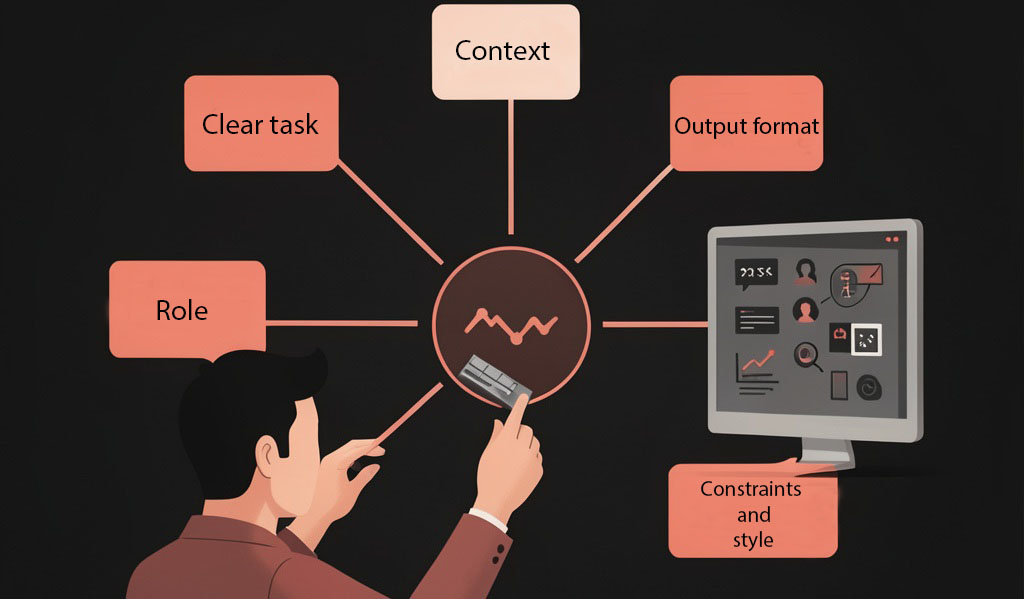
An AI assistant can give a vague answer when a request leaves too much open to interpretation. A clearer prompt gives it useful context, explains what you want, and sets expectations for the response.
You do not need special technical language to write a good prompt. Start with a clear task, add the details that matter, and improve the request if the first answer misses the mark.
1. State the task clearly
Begin with a direct instruction. Use a specific verb such as summarize, compare, rewrite, explain, or create.
A vague request might be:
Tell me about video editing.
A clearer version is:
Explain five basic video-editing techniques to someone who has never edited a video.
The second request gives the assistant a task and a starting point for the explanation.
2. Add context
Context helps the assistant shape its answer for your situation. Include details such as:
- Who the answer is for
- What you already know
- What you are trying to accomplish
- Any limits on time, tools, or resources
For example:
I am a beginner making short tutorial videos at home. I know how to record with my phone, but I have never edited a video.
You do not need to include every detail about your project. Add the information that could change the answer.
3. Describe the audience and purpose
The same topic can require different explanations for different readers. Tell the assistant who will use the result and what they should be able to do afterward.
For example:
Write this for adults who are new to AI. After reading, they should be able to create a simple prompt for planning a video.
This helps set the level of detail and the amount of background information to include.
4. Specify the format
If you want a particular structure, say so. You can request:
- A numbered plan
- A short checklist
- A table of advantages and disadvantages
- A script with dialogue
- A draft email
- A list of questions to consider
For example:
Give me a seven-step plan. For each step, include one action and one short explanation.
A format instruction makes the answer easier to scan and use.
5. Set useful constraints
Constraints tell the assistant what to include or avoid. You might specify the length, tone, reading level, tools, or subject boundaries.
For example:
Keep the explanation under 500 words, use plain English, and do not recommend paid software.
Choose constraints that matter to your task. Too many unnecessary rules can make a prompt harder to write and the result harder to follow.
6. Show an example when style matters
If you want the answer to follow a particular style or structure, provide a short example. This is often more precise than describing a tone with several adjectives.
For example:
Use this structure for each item: a short heading, one-sentence explanation, and one practical example.
Only include material you have the right to share. If the example contains private information, remove it first.
7. Ask for missing information or a first draft
You do not have to write a perfect prompt before you begin. If the task depends on details you have not decided, ask the assistant to ask you a few questions first:
Before you make the plan, ask me up to three questions about my goal, experience, and available time.
For a larger task, you can request an outline before a full draft. Reviewing the outline first can help you correct the direction early.
8. Improve the answer with follow-up prompts
Treat the first answer as a starting point. If it is too broad, ask for a narrower version. If a section is unclear, ask for a simpler explanation or a concrete example.
Useful follow-up prompts include:
- “Make this more specific to a beginner.”
- “Give me one practical example.”
- “Shorten the introduction but keep the main points.”
- “What assumptions did you make?”
- “Ask me questions before revising this.”
Change one important instruction at a time when possible. That makes it easier to see how your request affects the result.
A simple prompt formula
Use this structure as a starting point:
Task: What should the assistant do?
Context: What should it know about the situation?
Audience and purpose: Who is the answer for, and what should it help them do?
Format: How should the answer be organized?
Constraints: What should it include, avoid, or keep within a limit?
For example:
Task: Create a plan for my first short tutorial video.
Context: I am a beginner and will record with my phone at home.
Audience and purpose: The video is for other beginners and should explain one useful editing technique.
Format: Give me a six-step outline with a short narration suggestion for each step.
Constraints: Keep the plan simple and use free tools I already have.
Before you use the answer
Read the response and check that it answers your actual question. Verify important facts, names, numbers, and instructions—especially when they affect a decision or something you will publish. AI can misunderstand a prompt or produce information that sounds convincing but is incorrect.
A good prompt is not a magic formula. It is a clear way to explain what you need. Give the assistant the relevant context, describe the result you want, and refine the request based on the answer you receive.